 ShellDeck
Your servers, keys and snippets on every device
ShellDeck is an SSH, SFTP and RDP client for Windows, Linux and Android. Add a host on your laptop and a second later it's on your phone. It was encrypted before it left the laptop.
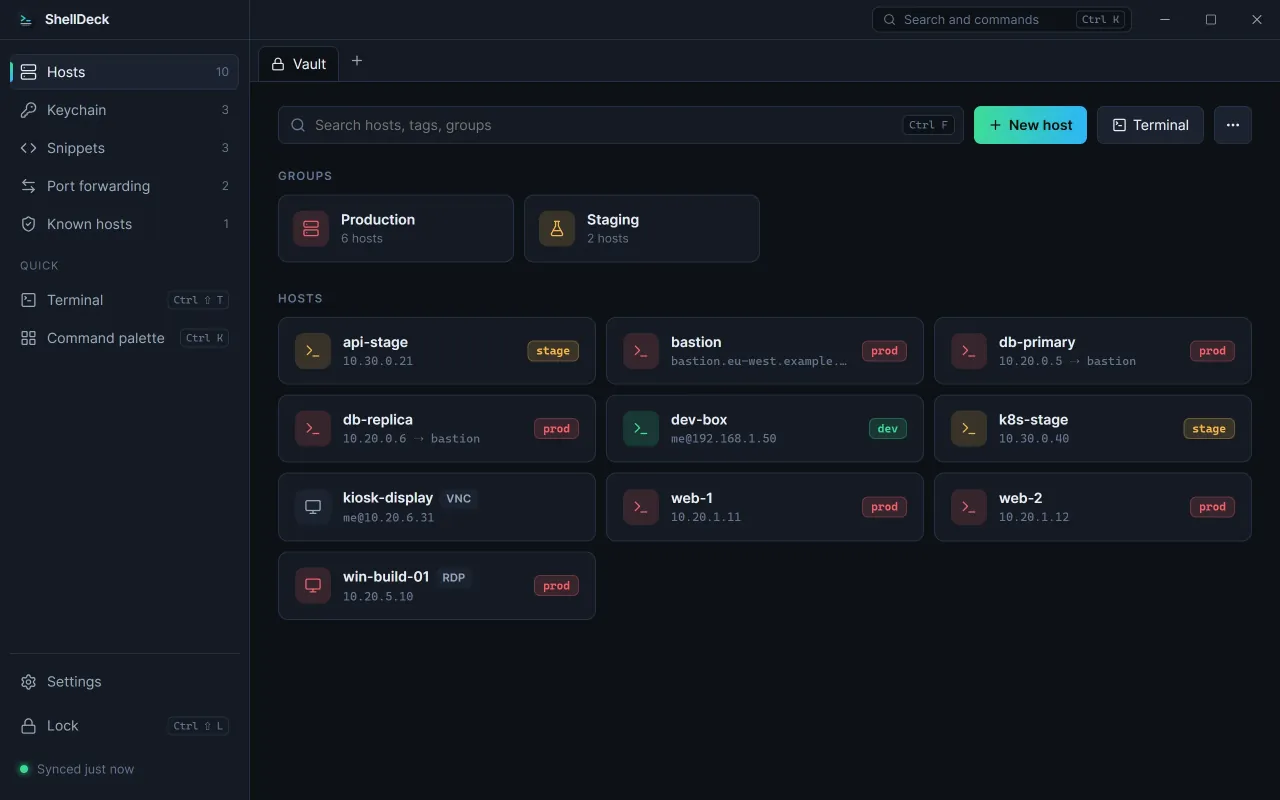
What ShellDeck does
A terminal, files and remote desktops for the servers you look after, with one vault on all your devices. About ShellDeck
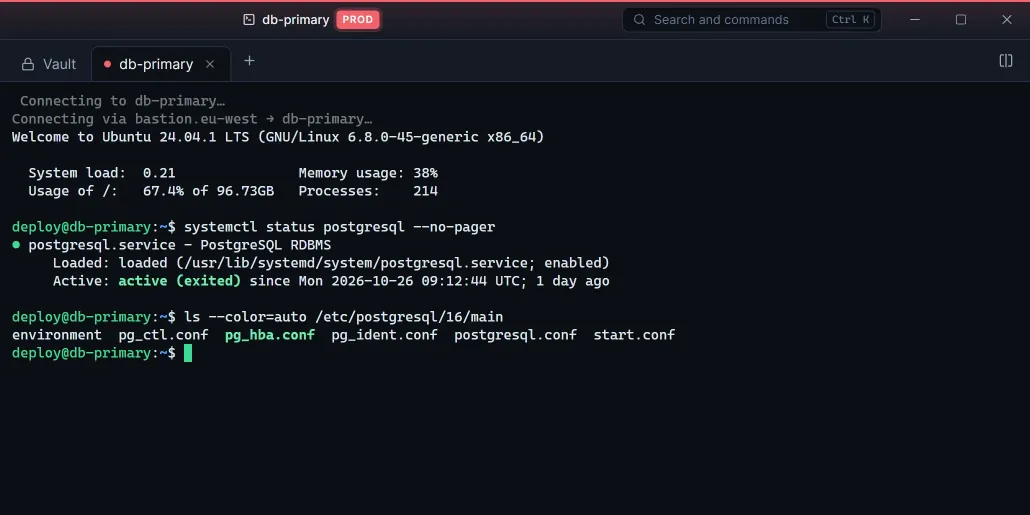
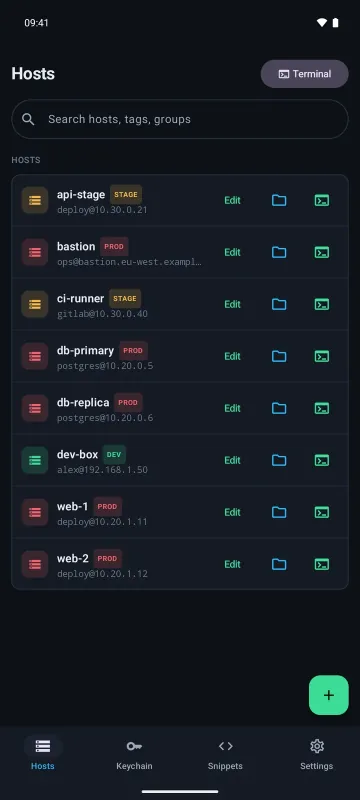
Production looks like production
Mark hosts and groups as prod, stage or dev. A production session gets a red stripe and a label in the title bar, so a migration doesn't end up in the wrong window.
Jump hosts, agent forwarding, 32 terminal themes, up to 9 panes in a tab with input to all of them at once.
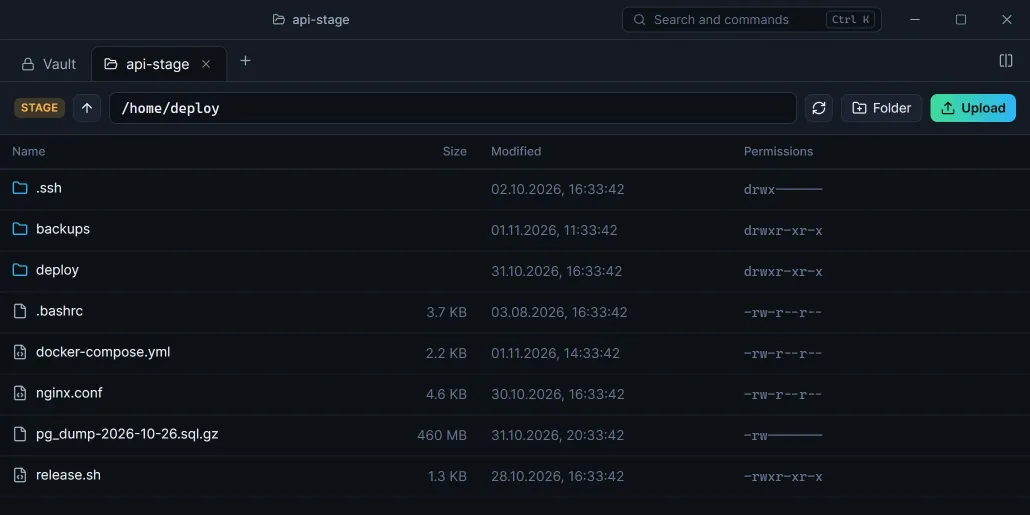
Files next to the terminal
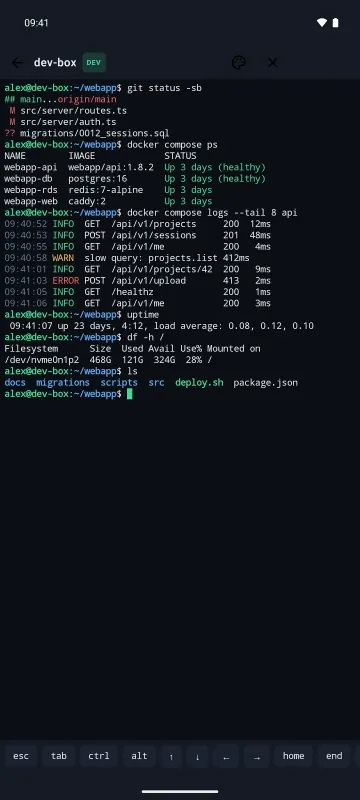
Browse folders and edit configs right on the server; on desktop, upload and download too. SFTP uses the same host, key and jump hosts as the terminal.
The same vault on Android
Hosts, keys and snippets arrive from the desktop by themselves. The terminal has esc, tab, ctrl, alt and arrow keys above the keyboard, and SFTP lets you browse and edit files.
Port forwarding, RDP and file transfer aren't on the phone yet.
Also in the app
Port forwarding
Local, remote and SOCKS (-L, -R, -D).
RDP and VNC
A built-in viewer for Windows and VNC hosts, through jump hosts too.
Command snippets
Save a command once and run it on several hosts at a time.
Import from other clients
~/.ssh/config, PuTTY, MobaXterm and CSV.
SSH keys and agent
Generate Ed25519, ECDSA and RSA keys or paste existing ones. Agent forwarding included.
Auto-lock and biometrics
Auto-lock on a timer or when minimised; unlock with Windows Hello or a fingerprint on Android.
Account protection
Two-factor sign-in, a list of devices, signing a lost one out remotely.
Security by design
The master password never leaves your device, and the key it unlocks never reaches the server. Forget the password and only your recovery key gets you back in: we can't reset it.
End-to-end encryption
Hosts, keys and snippets are encrypted on your device before upload. Below is one host as your device sees it and as the server gets it.
How encryption worksDirect connection
SSH, SFTP, RDP and VNC go straight from your device to your server, with no proxy of ours in between. The vault is stored locally, so it works offline too.
Security overviewYour own server
Run the sync server on your own hardware in one command. The apps work with it just like with ours.
Self-hosting guide
{"label":"db-primary","hostname":"10.20.0.5","username":"postgres","key_id":"…"}f2f9mkacDUmZN/W2X7aPDtQRuyZHREdU7hj9+bUNHouiVhosY0WdeBdDUxH3wgTxDNVceRKUCnoMaIZnR8qcCqzywHdNZgIhCpse80G86r7FlGPfuR7Gp2eEQFD+CLjXILTLxoiHN/uAq92ZJqMLLqrbGL1B+3LVzic=Every record is sealed with XChaCha20-Poly1305 under a key derived from your master password with Argon2id, the password hashing standard published as RFC 9106.
Download ShellDeck
Free. The apps update themselves when a new version comes out.
- WindowsInstaller for Windows 10 and 11
- LinuxAppImage, x86_64
- AndroidAPK for Android 8.0+
- macOSApple Silicon and Intel
Frequently asked questions
Something else? Write to us from the contact page. Contact
How much does it cost?
Nothing right now, sync included.
Can you read my servers and keys?
No. The key comes from your master password and never leaves your devices. All we have is encrypted records and their revision numbers. How encryption works
What if I forget my master password?
When you create an account you get a recovery key. Only it can reset the master password. We can't, since your key has never been on our side.
Does it work without internet?
Yes. The vault lives on each device, so you can browse hosts and connect over a local network offline. Changes sync once you're back online.
Can I run the sync server myself?
Yes. The server ships as a Docker image with an installer that sets up HTTPS. Existing vaults move over from the app's settings. See the self-hosting guide. Self-hosting guide
Is there SSH in the browser?
No. A browser can't open an SSH connection without a proxy on our side, and we don't want to see your sessions. On the website you can manage the vault, devices and account.